
Blog — Data Recovery and Cybersecurity
Technical analyses, prevention tips and data recovery news from the experts at SOS Data Recovery, Swiss laboratory since 2006.
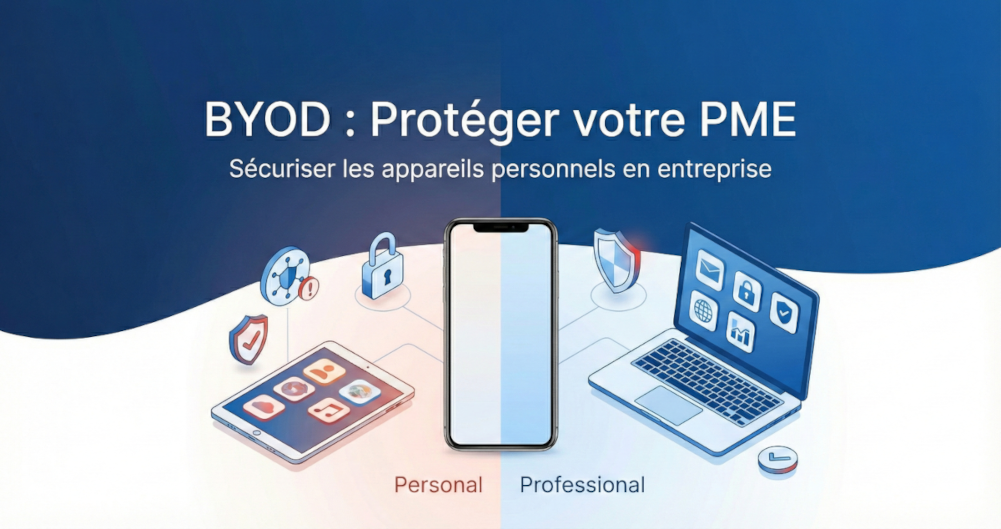
BYOD in Business: How to Protect Your SME When Employees Use Personal Devices
BYOD (Bring Your Own Device) refers to the practice of allowing employees to use their personal devices — smartphones, tablets, laptops — to access company resources. Adopted by over 80% of global organizations, the BYOD market reached USD 153.1 billion in 2025 (Business Research Company, 2025), but exposes SMEs to real risks: 62% of IT managers cite data loss as their main concern (Electroiq, 2026). In Switzerland, the nLPD makes the company responsible for data processed on these devices, with penalties of up to CHF 250,000. This guide explains how to manage BYOD with concrete and proportionate measures for a Swiss SME.
Key Takeaways
- 80%+ of organizations have formalized a BYOD policy (SpyHunter Research, 2025)
- 62% of IT managers cite data loss as their main BYOD concern (Electroiq, 2026)
- BYOD Market: USD 153.1 billion in 2025, +16.8% annual growth (Business Research Company, 2025)
- The Swiss nLPD requires reporting a personal data breach as soon as possible after its discovery
- nLPD penalties can reach CHF 250,000 and engage the personal liability of executives (art. 60)
What is BYOD and Why Does it Pose a Risk to SMEs?
In many Swiss SMEs, it has become common for employees to check their work emails on their personal smartphones, finalize a document on their tablet on the train, or work from their private laptop. BYOD offers real benefits: more flexibility, easier remote work, reduced hardware investments.
However, unlike company-provided devices, personal equipment is not under your control: uncertain security updates, unverified applications, shared access within the family.
What are the Concrete Risks of Unmanaged BYOD?
| Risk Type | % Concerned | Potential Impact |
|---|---|---|
| Data loss or leakage | 62% of IT managers | nLPD violation, loss of customers |
| Shadow IT | 84% of IT managers | Uncontrolled security vulnerabilities |
| Malware infections | 22% confirmed | Propagation to the corporate network |
| Network attacks | 40% | Business interruption |
Sources: SpyHunter Research 2025, Electroiq BYOD Statistics 2026
How to Define a Clear and Understandable BYOD Policy?
The first step is to formalize a few simple rules — not a fifty-page document, but a framework that all your employees can understand and apply.
Essential Elements of a BYOD Policy
- Authorized devices: types and minimum accepted versions
- Data concerned: what can be viewed or stored locally
- Responsibilities: who is responsible for the security of the device
- Emergency procedures: loss, theft, departure of an employee
A good BYOD policy also respects privacy: if you enable remote wiping, your employees must understand that this only concerns professional data, not their personal data. Communicate this policy upon each arrival and remind them annually.
What Basic Protection Measures Should Be Implemented on Devices?
There are simple protections, without requiring IT expertise.
The 4 Essential Protections
| Measure | Why It's Important | How to Apply It |
|---|---|---|
| PIN code / password / biometrics | Prevents any unauthorized physical access | Require on all devices |
| Automatic locking | Limits access in case of forgetting | Set after 2-3 minutes of inactivity |
| Automatic updates | Corrects known vulnerabilities | Enable automatic updates |
| Antivirus / protection | Detects malware | Mandatory on laptops |
On smartphones and tablets, only download from official stores — App Store (Apple) or Google Play (Android) — and systematically check the permissions requested by each application.
How to Separate Professional and Personal Data?
For Swiss SMEs, Mobile Device Management (MDM) solutions like Microsoft Intune or VMware Workspace ONE make it easy to implement this separation. In case of theft or loss, you can wipe only the professional space.
Swiss Alternatives for Data Sovereignty
- kDrive from Infomaniak: collaborative storage, triple replication in 2 Swiss datacenters (Geneva)
- Proton Drive: end-to-end encrypted storage (AES-256 + RSA-4096), servers in Switzerland
These solutions, hosted in Switzerland, guarantee compliance with the nLPD and data sovereignty for SMEs in French-speaking Switzerland, Bern, Lausanne, and Geneva. Also, ensure that your professional web applications are properly secured against unauthorized access.
How to Control Access to Sensitive Data?
Not all your employees need to access all your data. A person in the sales department does not need sensitive accounting documents, and vice versa. This principle is particularly critical in a BYOD context where personal devices are less well controlled.
What is Two-Factor Authentication (2FA/MFA)?
Password managers like Proton Pass — a Swiss solution — facilitate secure credential management and synchronization of 2FA codes on all devices (feature available in the paid version).
How to Effectively Raise Awareness Among Your Employees?
The best technical solutions are ineffective if your employees do not understand why they are important. The goal is not complex technical training, but to create a culture of security.
Risks of public Wi-Fi: connecting to a café's network without protection exposes transmitted data to interception.
For Swiss SMEs, Proton VPN offers a Swiss-based solution with end-to-end encryption and servers in over 120 countries. When traveling, teach your teams to use a VPN to secure connections.
Risks of phishing: show concretely what can happen after clicking on a malicious link in an email — device infection, propagation to the company network.
Effective Awareness Methods
- Short (15-20 min) regular sessions, not exhaustive annual training
- Practical tips sent by email periodically
- Phishing simulations to train through experience
What to Do in Case of Loss or Theft of a Device?
BYOD Incident Response Procedure
| Step | Action | Timeframe |
|---|---|---|
| 1 | Notification to the IT manager | As soon as discovered |
| 2 | Deactivation of user accounts | Within the hour |
| 3 | Revocation of access to systems | Within the hour |
| 4 | Remote wiping of professional data | Within 24 hours |
| 5 | Documentation and notification to the FDPIC if personal data is compromised | As soon as possible — nLPD, art. 24 |
These remote wiping features exist in Microsoft 365, Google Workspace, and most MDM solutions. They must be configured and tested before an incident occurs.
For continuity, a robust backup strategy is essential. Swiss Backup from Infomaniak offers cloud backup with triple replication in Swiss datacenters — nLPD compliance guaranteed.
Why Use a Specialized Cybersecurity Partner?
For a Swiss SME without a dedicated IT team, managing all these aspects internally quickly becomes complex. A partner like Bexxo can assist you with:
- Defining a BYOD policy adapted to your reality
- Conducting a security audit of your infrastructure
- Deploying the necessary technical solutions (MDM, 2FA, VPN)
- Training your employees
- Responding quickly in case of an incident
A trusted partner does not sell software — they understand your business, your constraints, and offer you proportionate solutions, applicable on a daily basis.
Checklist of Priority Actions
- Define a comprehensible BYOD policy and communicate it
- Require basic protections on all devices (PIN, locking, updates)
- Separate professional and personal data (containerization / MDM)
- Limit access according to the principle of least privilege
- Enable two-factor authentication (2FA/MFA) on all sensitive access points
- Regularly raise employee awareness (phishing, public Wi-Fi, VPN)
- Configure and test remote wiping before any incident
- Document and report each incident as soon as possible to the FDPIC (nLPD, art. 24)
Frequently Asked Questions About BYOD in Business
BYOD (Bring Your Own Device) is a company policy allowing employees to use their personal devices to access professional resources. Adopted by over 80% of organizations, the global BYOD market reached USD 153.1 billion in 2025 (+16.8%/year), demonstrating massive adoption requiring an adapted security framework. (Business Research Company, 2025)
Yes, BYOD is legal in Switzerland. It must be managed in accordance with the nLPD (effective September 1, 2023): the company remains responsible for personal data processed, even on private devices. Penalties for violations can reach CHF 250,000 and engage the personal liability of executives. (nLPD, art. 60)
The most effective method is containerization: creating an isolated and encrypted space on the device, separate from personal data. MDM solutions like Microsoft Intune or VMware Workspace ONE allow this separation and selective remote wiping of only professional data, without affecting the employee's private data.
Several solutions guarantee data sovereignty: kDrive from Infomaniak (collaborative storage, triple replication in 2 Swiss datacenters), Proton Drive (AES-256 + RSA-4096 encryption), Proton Pass (password management), Proton VPN (secure connection, 120+ countries), Swiss Backup from Infomaniak (nLPD-compliant backups).
Immediately apply the incident procedure: deactivate user accounts, revoke access to systems, trigger remote wiping of professional data. Document the incident and, if personal data has been compromised, report it as soon as possible to the FDPIC — obligation imposed by the nLPD (art. 24).
Need support to secure BYOD in your Swiss SME?
Contact our experts →Sources
- SpyHunter Research — BYOD Statistics: Trends And Insights For 2025
- Electroiq — Bring Your Own Device (BYOD) Security Statistics (2026)
- Business Research Company — BYOD Security Market 2025
- nLPD — Loi fédérale sur la protection des données (RS 235.1), art. 24 et 60
- Proton — The Proton Drive security model (proton.me/blog/protondrive-security)
- Infomaniak — kDrive secure online storage (infomaniak.com/en/ksuite/kdrive)